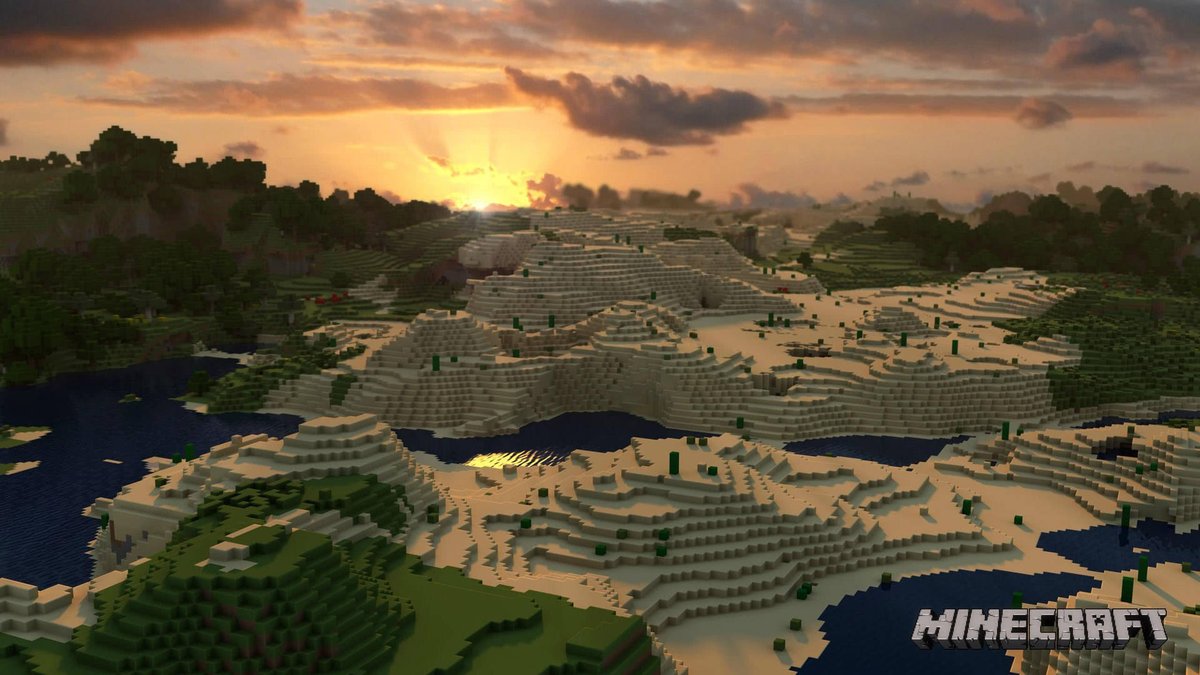
Imagine building the city of your dreams, not just in your head, but block by block, with the precision of an engineer and the freedom of an artist. That's the power of Minecraft City & Landscape Planning, transforming a beloved game into an unparalleled tool for design, education, and community engagement. Far from just a pastime, Minecraft offers a unique sandbox for architects, urban planners, and everyday citizens to visualize, experiment, and collaborate on future cityscapes, whether redesigning a local park or conceptualizing an entirely new urban hub.
At a Glance: Building Better Cities with Blocks
- 1:1 Scale Realism: Minecraft blocks translate directly to meters, offering spatially accurate modeling.
- Beyond Visuals: Redstone functionality brings designs to life with interactive elements like light rails and solar panels.
- A Powerful Learning Tool: Teaches design thinking, problem-solving, and collaboration for students and communities.
- Engage Stakeholders: A visual, interactive platform to gather feedback from city planners, architects, and residents.
- Visualize the Future: Helps prototype urban developments, from repurposing a single building to redesigning entire districts.
- Career Connections: Bridges the gap between gaming and real-world careers in architecture, engineering, and urban planning.
Beyond the Blocks: Why Minecraft is a Serious Design Tool
You might think of Minecraft as a pixelated playground, but beneath its charmingly simple facade lies a sophisticated engine for spatial design. When it comes to Minecraft City & Landscape Planning, the game’s core mechanics offer distinct advantages that even professional software can struggle to match.
The 1:1 Scale Advantage: Precision in Every Pixel
One of Minecraft's most compelling features for city planning is its inherent scale: one block equals one meter. This consistent, unambiguous measurement system means that any structure or landscape you build in Minecraft is spatially accurate. You can take official city maps, determine real-world areas in square meters, and translate them directly into a Minecraft environment with remarkable fidelity. This isn't just an approximation; it's a measurable, verifiable representation that allows for accurate redesigns and repurposing of local community spaces.
This 1:1 scale is crucial. It means you're not just sketching ideas; you're creating a geometrically sound model that adheres to existing city parameters. If you're planning a new bike path or expanding a public square, you can measure its impact on surrounding structures and pedestrian flow with genuine precision.
More Than Just Aesthetics: Redstone Functionality
While other design tools like SketchUp excel at visual modeling, Minecraft takes it a significant step further with its Redstone functionality. Think of Redstone as the game's electrical circuit system, allowing you to create complex, interactive mechanisms within your builds.
Imagine a proposed light rail system for your city. In Minecraft, you don't just build the tracks; you can make the trains run on them. You can simulate traffic lights, activate solar panels that power parts of your virtual city, or even animate models to demonstrate movement or change over time. This dynamic capability allows you to:
- Visualize flow and movement: See how traffic might move, or how people interact with a new public space.
- Demonstrate functionality: Prove that a design isn't just pretty, but practical and operational.
- Create engaging presentations: Captivate an audience with an animated walkthrough rather than static images.
- Test concepts: Experiment with different operational solutions for complex urban systems.
Redstone breathes life into your designs, making them far more compelling and informative than static architectural renders. It transforms a conceptual model into a working simulation.
Why Not SketchUp (or Other CAD Tools)?
While professional Computer-Aided Design (CAD) software like SketchUp, AutoCAD, or Revit are indispensable for architects and engineers, Minecraft offers unique perks, especially in educational and community engagement contexts:
- Accessibility and Learning Curve: Minecraft is intuitive for many, particularly younger generations, making it easier to jump in and start building without extensive training.
- Collaborative Multiplayer: Multiple users can build in the same world simultaneously, fostering real-time collaboration that's often cumbersome in traditional CAD software.
- Playful Engagement: The game format itself makes the design process more enjoyable and less intimidating, encouraging broader participation from non-professionals.
- Redstone Dynamism: As mentioned, the ability to animate models and create working systems often surpasses the immediate out-of-the-box capabilities of simpler CAD programs.
- Cost-Effective: Minecraft's relative affordability compared to professional CAD licenses makes it an attractive option for educational institutions and grassroots projects.
For visualizing future city developments and connecting design to careers in city planning, architecture, and engineering, Minecraft serves as an accessible and powerful gateway.
The Design Thinking Framework: Building Your Vision Brick by Brick (Pre-Minecraft)
Even though Minecraft provides a fantastic canvas, the most effective planning starts before you even place your first block. Employing a Design Thinking framework ensures your project is well-conceived, addresses real needs, and has a strong foundation.
Empathy & Define: Understanding the Problem
Every great design solves a problem. Before you dive into Minecraft, you need to understand what you're trying to achieve. Are you:
- Redesigning a local park to make it more accessible?
- Proposing a new community center?
- Rethinking a downtown block to incorporate more green space?
Start by asking questions: Who is this for? What are their current frustrations? What improvements would genuinely benefit the community? This phase is about gathering insights, perhaps through surveys, interviews, or observations of the existing space. Define the problem clearly, such as "How might we repurpose the old library building into a vibrant youth hub?"
Ideate: Brainstorming Solutions
Once your problem is defined, it's time for creative explosion. Encourage wild ideas, no matter how outlandish they seem at first. Brainstorm different ways to solve your defined problem. This could involve sketching, mind mapping, or even just free-form discussion. The goal here is quantity over quality, generating a wide array of potential solutions.
Prototype (Off-Minecraft): Creating an Approved Model First
Before you commit to a complex digital build, create a low-fidelity model. This could be made from cardboard, LEGOs, clay, or even paper. This "analog prototype" serves as an approved model that student teams (or community groups) can iterate on before investing significant time in Minecraft.
- Resourcefulness: Encourage the use of local, sustainable products to lower costs and repurpose existing resources. Think about how real cities might reuse old wood floors, doors, or other salvageable materials in new constructions. This teaches valuable lessons in sustainability and practical project management.
- Quick Iteration: It's much faster and easier to adjust a physical model than to rework a complex Minecraft build. Get feedback on this preliminary model to refine your core concepts.
Test: Getting Feedback and Iterating
With your approved physical model, gather feedback from peers, mentors, or even potential users. Does it meet the defined needs? Are there unforeseen issues? This testing phase helps you catch flaws early and refine your design before it hits the digital world. This iterative process is crucial in both real-world and virtual city planning.
From Concept to Creation: Implementing Your Vision in Minecraft
Once your design thinking is complete and you have an approved prototype, it’s time to bring your vision to life in Minecraft. This stage involves translating your refined ideas into the blocky landscape.
Setting the Stage: Defining Project Scope
Before you begin building, clarify key parameters for your project. This is especially important for classroom implementation or community workshops, ensuring everyone understands the goals and limitations.
- City Block vs. Single Building: Decide on the scale. Are you rebuilding an entire city block, focusing on its infrastructure, public spaces, and various buildings? Or is the project centered on redesigning a single building within a pre-existing context? The scope heavily influences the complexity and time commitment required.
- Project Completion: What constitutes a "complete project"? Is it a fully rendered building exterior, an interior design, a functional Redstone mechanism, or a combination? Clear definitions prevent scope creep and frustration.
- Cost Estimates: Even in a virtual world, linking designs to real-world considerations is powerful. Consider if your project requires students or participants to include cost estimates for their proposed changes. This could involve researching real material costs or comparing energy efficiency of different building types.
- Presentation Format: How will the final project be shared? An in-person demonstration allows for direct interaction and Q&A. A podcast format might involve a narrated walkthrough, focusing on the design process and rationale. A district or city presentation requires a polished, articulate explanation of the project's impact and viability.
Adhering to Real-World Parameters: Using Official Maps and Data
A truly impactful Minecraft City & Landscape Planning project isn't just creative; it's grounded in reality. Utilize official maps of your chosen city or area. You can determine the existing city's area in square meters and ensure your redesigns adhere to those existing parameters.
This means:
- Respecting property lines: Even if you're reimagining a space, understanding its real-world boundaries is crucial.
- Considering infrastructure: Where are existing roads, utilities, and public transport lines? How do your proposed changes integrate with or modify them?
- Contextual design: A new building should fit, aesthetically and functionally, within its surrounding urban fabric.
This exercise provides invaluable practice in realistic constraints, a fundamental aspect of real-world urban planning.
Crafting Realistic Landscapes: Terrain, Water, Natural Elements
A city isn't just buildings; it's also its surrounding environment. When planning, consider how your landscape interacts with your urban structures.
- Terrain: Do you need flat ground for construction, or can you incorporate hills and valleys into your design? Minecraft allows for extensive terraforming.
- Water features: Rivers, lakes, and even elaborate fountain systems can enhance a city's appeal and functionality. Think about flood plain management or public access to water.
- Natural elements: Trees, parks, gardens, and green spaces are vital for urban well-being. How can you integrate these to improve air quality, provide recreation, and support local biodiversity?
Mastering the natural landscape adds depth and realism to your Minecraft city. You're not just building on the land; you're building with it.
Populating Your City: Buildings, Infrastructure, Public Spaces
With the foundational landscape in place, the true work of city building begins.
- Buildings: From residential high-rises to commercial complexes, government buildings to cultural institutions, each structure plays a role. Think about their function, aesthetic, and how they relate to the surrounding environment.
- Infrastructure: Roads, sidewalks, bridges, and public transit systems (enhanced by Redstone) are the arteries of your city. Plan their layout for efficiency and accessibility.
- Public Spaces: Parks, plazas, market squares, and community gardens are crucial for social interaction and quality of life. Design these spaces to be inviting, functional, and reflective of community needs.
Remember, the goal is to create a vibrant, engaging city, not just a collection of blocks.
The Human Element: Engaging Communities and Classrooms
The true power of Minecraft City & Landscape Planning extends beyond the digital screen into tangible real-world benefits, particularly in educational settings and community engagement.
For Educators: Fostering Leadership and Self-Policing
Integrating Minecraft into the classroom offers a unique pedagogical advantage. For successful implementation, students should actively participate in creating their own working rules. This process, far from just managing behavior, fosters leadership, self-policing, and a sense of ownership over the project.
- Student-created rules: Students can decide on guidelines for building etiquette, collaboration, and conflict resolution. This promotes accountability and democratic decision-making.
- Logistics determined beforehand: Clearly define team size, the number of class sessions dedicated to the project, the final product presentation format, and the exact scale (e.g., "we're redesigning a 100x100 block area"). This structure provides clarity and manages expectations.
- Project Type: Decide if the project is a contest (fostering friendly competition) or a collaboration (emphasizing shared goals). Both have merits, depending on your learning objectives.
Community Buy-In: Inviting Experts
To truly connect virtual planning with real-world impact, engage your local community. Invite city planners, architects, and engineers to present their work to students or community groups. They can discuss:
- Real-world restrictions: Budget, zoning laws, environmental impact, and public opinion.
- Design challenges: Balancing aesthetic appeal with functional necessity and sustainability.
- Career pathways: Inspiring participants to consider professions in urban development.
Having experts discuss their work and critique student designs can transform a game project into a profound learning experience, offering invaluable feedback and mentorship. This also creates crucial community buy-in, making local government and professional bodies aware of the project's value.
Showcasing Your Work: District or City Presentations
The culmination of a well-executed Minecraft planning project should be a public presentation. Will it be part of a district-wide STEM fair or a presentation to the local city council? Public display elevates the project's significance, giving participants a platform to share their ideas and potentially influence real-world decisions. It also provides excellent practice in public speaking and advocacy.
Real-World Impact: Careers and Future Cities
Minecraft City & Landscape Planning isn't just about constructing pretty buildings; it's a powerful simulator for critical thinking, problem-solving, and understanding the complex interplay of urban systems. This translates directly into preparing individuals for impactful careers.
Connecting the Blocks to Careers
The skills honed through Minecraft city planning are directly transferable to professional fields:
- City Planning: Understanding spatial relationships, zoning, public access, and infrastructure development.
- Architecture: Designing functional and aesthetically pleasing structures, considering site constraints and user needs.
- Engineering: Planning for structural integrity, utility systems (water, power), and transportation networks.
- Landscape Architecture: Integrating green spaces, water features, and natural elements into urban designs for ecological balance and public enjoyment.
By engaging with these challenges in Minecraft, participants gain hands-on experience that mirrors the work of professionals, making it an excellent tool to visualize future city developments and explore potential career paths.
Spatially Accurate Redesigns: Visualizing Future Developments
The 1:1 block-to-meter scale makes Minecraft an exceptional tool for spatially accurate redesigns. You can take an existing neighborhood, replicate it precisely, and then experiment with modifications:
- New park layouts: Test different configurations of paths, benches, and play areas.
- Streetscape improvements: Model wider sidewalks, bike lanes, or new street furniture.
- Building repurposing: Visualize how an old factory could become a modern apartment complex or a community arts center.
This ability to visualize proposed changes in a realistic, interactive 3D environment helps stakeholders understand the impact of developments before any ground is broken. It fosters more informed discussions and better outcomes.
Learning from the Best: Case Studies of Well-Planned Cities
For those looking to extend their learning, research best-planned cities around the world. Cities like Dubai, Seoul, Singapore, or Copenhagen offer fascinating insights into innovative urban solutions, sustainable practices, and long-term future planning.
- Dubai: How does it manage rapid growth and create iconic structures?
- Seoul: How does it integrate advanced technology and green spaces within a dense urban fabric?
- Copenhagen: What makes it a leader in sustainable urban design and cycling infrastructure?
Understanding the government solutions and future planning strategies of these global examples can inspire new ideas and highlight best practices that can be adapted and simulated within Minecraft.
As you dive deeper into these intricate builds and planning exercises, you might find yourself needing inspiration or pre-built elements. For a vast collection of structures, designs, and tools that can jumpstart your creativity, you should absolutely Explore the Grabcraft hub. It's a fantastic resource for any ambitious Minecraft builder or city planner.
Proving Your Prowess: What Success Looks Like
How do you measure success in a Minecraft city planning project? It's more than just having a visually appealing build. It's about demonstrating a thorough understanding of the design process and the viability of your solutions.
Evidence of learning typically includes:
- A Working Simulation Model: Your Minecraft world itself, showcasing the designed city or landscape, complete with any functional Redstone elements.
- A Current Map of the Redesigned Area: This could be a screenshot or rendered image from Minecraft, overlaid or compared with a real-world map to show the before and after.
- A Clear Description of Changes: A written or verbal account detailing what was changed from the existing environment and why.
- An Explanation of the Design Process: Documenting the steps taken, from initial problem definition and ideation to prototyping and testing. This demonstrates critical thinking and adherence to a structured approach.
- Justification of Viability or Logic: Articulating why your team's design is not only creative but also viable, logical, and addresses the initial problem effectively. This might include discussions on sustainability, cost-effectiveness (virtual or real-world), community impact, or functional efficiency.
This comprehensive evidence ensures that participants aren't just building, but truly understanding and applying urban planning principles.
Your Next Block: Taking Your Minecraft Planning Further
You've envisioned, designed, and built your smart, engaging city in Minecraft. But the journey doesn't end there. The lessons learned, the skills developed, and the creativity unleashed are just the beginning.
Continue to explore the possibilities:
- Join or start a community group: Collaborate with others passionate about urban design in Minecraft.
- Participate in design challenges: Push your creativity by tackling new problems and constraints.
- Share your work: Present your projects to local community leaders, school boards, or even city planning departments. Your ideas might spark real-world discussions or even inspire tangible projects.
- Deepen your knowledge: Research advanced Redstone techniques, delve into architectural history, or study sustainable urban development principles.
Minecraft City & Landscape Planning is more than a game; it's a powerful platform for innovation, education, and civic engagement. By leveraging its unique capabilities, you're not just building virtual worlds, you're shaping the future, one block at a time. So, pick up your virtual pickaxe and start shaping smarter, more engaging cities today.